ZFS Support
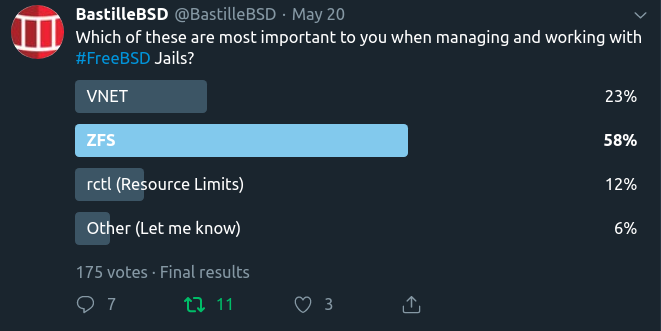
Bastille 0.4 added initial support for ZFS. bastille bootstrap and
bastille create will generate ZFS volumes based on settings found in the
bastille.conf. This section outlines how to enable and configure Bastille
for ZFS. As of Bastille 0.13 you no longer need to do these steps manually. The
setup program when you run:
bastille setup
will create the zfs settings for you IF you are running zfs. This section is left in the documents for historical purposes, and so you can understand what the setup program is doing AND so if you need to tweak your settings for some reason.
Two values are required for Bastille to use ZFS. The default values in the
bastille.conf are NO and empty. Populate these two to enable ZFS.
## ZFS options
bastille_zfs_enable=""                                  ## default: "NO"
bastille_zfs_zpool=""                                   ## default: ""
bastille_zfs_prefix="bastille"                          ## default: "${bastille_zfs_zpool}/bastille"
bastille_zfs_options="-o compress=lz4 -o atime=off"     ## default: "-o compress=lz4 -o atime=off"
Example
ishmael ~ # sysrc -f /usr/local/etc/bastille/bastille.conf bastille_zfs_enable=YES
ishmael ~ # sysrc -f /usr/local/etc/bastille/bastille.conf bastille_zfs_zpool=ZPOOL_NAME
Replace ZPOOL_NAME with the zpool you want Bastille to use. Tip: zpool
list and zpool status will help.
If you get ‘no pools available’ you are likely not using ZFS and can safely
ignore these settings.
By default, bastille will use ZPOOL_NAME/bastille as its working zfs
dataset. If you want it to use a specific dataset
on your pool, set bastille_zfs_prefix to the dataset you want bastille to
use. DO NOT include the pool name.
Example
ishmael ~ # sysrc -f /usr/local/etc/bastille/bastille.conf bastille_zfs_prefix=apps/bastille
The above example will set ZPOOL_NAME/apps/bastille as the working zfs
dataset for bastille.
Bastille will mount the datasets it creates at bastille_prefix which
defaults to /usr/local/bastille
If this is not desirable, you can change it at the top of the config file.
Altroot
If a ZFS pool has been imported using -R (altroot), your system will
automatically add whatever the altroot is to any zfs mount commands.
Bastille supports using an altroot, and there should be no issues using this feature.
One thing to note though, is that you MUST NOT include your altroot path in
the bastille_prefix. For example, if you imported your pool with
zpool import -R /mnt poolname, and you wish for your jails to live at
/mnt/poolname/bastille then bastille_prefix should be set to
/poolname/bastille without the /mnt part.
If you do accidentally add the /mnt part, your datasets will be mounted at
/mnt/mnt/poolname/bastille and Bastille will throw all kinds of errors due
to not finding the proper paths.
Jailing a Dataset
It is possible to “jail” a dataset. This means mounting a datset into a jail, and being able to fully manage it from within the jail.
To add a dataset to a jail, we can run
bastille zfs TARGET jail pool/dataset /path/inside/jail.
This will assign pool/dataset to the jail and mount it
at /path/inside/jail.
You can manually change the path where the dataset will be mounted by
bastille edit TARGET zfs.conf and adjusting the path after you have added it,
bearing in mind the warning below.
WARNING: Adding or removing datasets to the zfs.conf file can result in
permission errors with your jail. It is important that the jail is first stopped
before attempting to manually configure this file. The format inside the file is
simple.
pool/dataset /path/in/jail
pool/other/dataset /other/path/in/jail
To remove a dataset from being jailed, we can run
bastille zfs TARGET unjail pool/dataset.
NOTE: You must unjail any jailed datasets before attempting to destroy a jail.